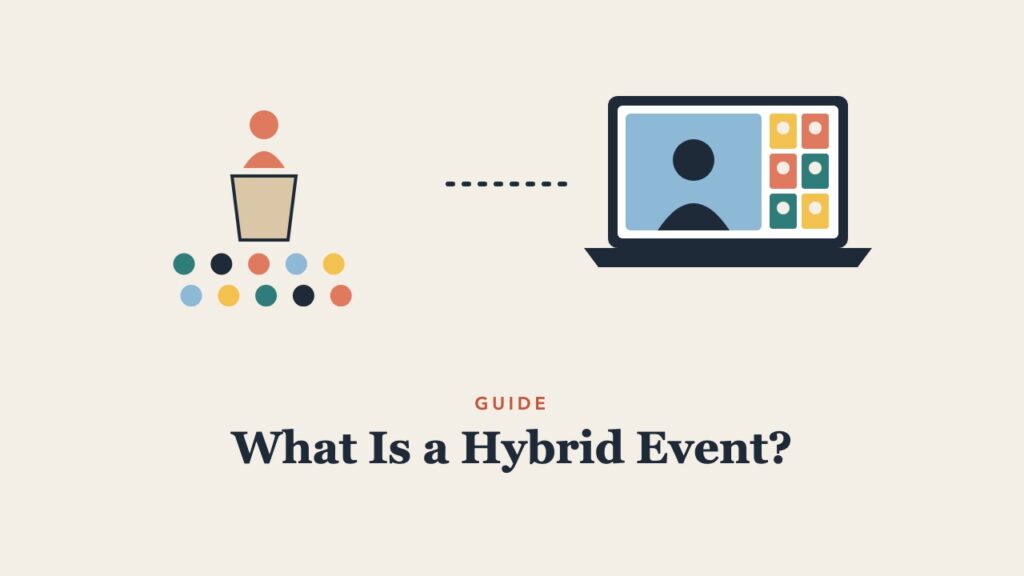
Hybrid events promise the best of both worlds: the energy of an in-person gathering and the reach of an online one. Done poorly, they deliver the worst of both, with remote attendees watching a camera pointed at a stage. This guide explains what a hybrid event is, how it compares to in-person and virtual events, the main hybrid formats, and practical tips for making remote participants feel included.
Hybrid Event Definition
A hybrid event is an event that combines an in-person audience with a live online audience, so people can participate either on site or remotely. Hybrid events can be conferences, meetings, workshops, town halls, classes, or trade shows. What makes them hybrid is that both audiences take part in the same event at the same time.
Hybrid vs. In-Person vs. Virtual Events
| In-person | Virtual | Hybrid | |
|---|---|---|---|
| Reach | Limited by venue and travel | Global | Both |
| Networking | Strongest | Weaker, needs structure | Strong on site, structured online |
| Cost | Venue, travel, catering | Platform and production | Both, plus integration |
| Complexity | Moderate | Moderate | Highest |
| Best for | Relationships, hands-on work | Scale and access | Events with a core local group and a wide remote audience |
For definitions of online formats, see webinar vs. webcast vs. virtual event.
Types of Hybrid Events
- Hybrid conferences. Keynotes and selected sessions are streamed with online Q&A, while breakouts and networking happen on site.
- Hybrid meetings. Some team members in a room, others on video. The most common hybrid format and often the hardest to run well.
- Hybrid workshops and training. Participants in the room and online work on the same activities using shared digital tools.
- Hybrid town halls. Leaders speak to an in-person audience while employees elsewhere watch and ask questions. See what is a town hall meeting.
- Hybrid classes. Some students attend in the classroom and others join remotely.
How to Plan a Hybrid Event
- Design two experiences on purpose. Decide what remote attendees will do during each session, not just what they will see.
- Appoint a remote host. One person whose only job is the online audience: welcoming them, voicing their questions, and running their activities.
- Invest in audio. Room microphones for speakers and audience questions matter more than camera quality. Remote attendees cannot participate if they cannot hear.
- Use shared tools. Polls, Q&A, and digital whiteboards that both audiences use put everyone in the same conversation.
- Plan networking for both groups. Online breakout rooms, scheduled one-to-one meetings, or small virtual tables.
- Rehearse the handoffs. Test how questions move from online to the stage, and how videos and slides appear to both audiences.
- Record and share. Many people register for the on-demand recording.
Tips for Hybrid Meetings
- When in doubt, have everyone join from their own laptop with headphones, even in the room, so all faces are the same size.
- Call on remote participants first in discussions.
- Use a shared document or digital board instead of a physical whiteboard.
- Assign a “remote buddy” in the room to watch the chat.
Common Hybrid Event Mistakes
- Treating the online audience as viewers of a livestream instead of participants
- Room audio that remote attendees cannot hear
- Questions from the room only
- Activities that rely on physical materials with no digital equivalent
- Remote attendees left alone during breaks with a static slide
Frequently Asked Questions
What is an example of a hybrid event?
A conference where 300 people attend in person while 1,000 join online, watching keynotes live and asking questions through an event app, is a hybrid event.
Is a hybrid event the same as a livestream?
No. A livestream lets people watch. A true hybrid event lets remote attendees participate through questions, polls, discussion, and networking.
Are hybrid events more expensive?
Usually, because they combine venue costs with streaming and production. They can still be cost-effective when they significantly increase reach.
Making online participation more active? See these webinar engagement ideas and what is a breakout session.