
Webinars have become one of the most common ways universities, professional associations, and organizations share knowledge, from admissions information sessions to faculty development and continuing education. This guide explains what a webinar is, how it works, the most common types, how it compares to a seminar, workshop, and online meeting, and what makes a webinar worth attending.
What Is a Webinar? (Definition)
A webinar is a live, online presentation or class delivered over the internet to a remote audience. One or a few presenters share their screen, slides, or video, and participants join from their own devices to watch, listen, and interact through features like chat, Q&A, and polls. Most webinars are scheduled events with registration, and many are recorded so people can watch later.
The word is a blend of “web” and “seminar,” and the name fits: a webinar is essentially a seminar delivered online. In practice, webinars usually reach larger audiences than in-person seminars and involve less open discussion, because most participants join with their camera and microphone off.
How a Webinar Works
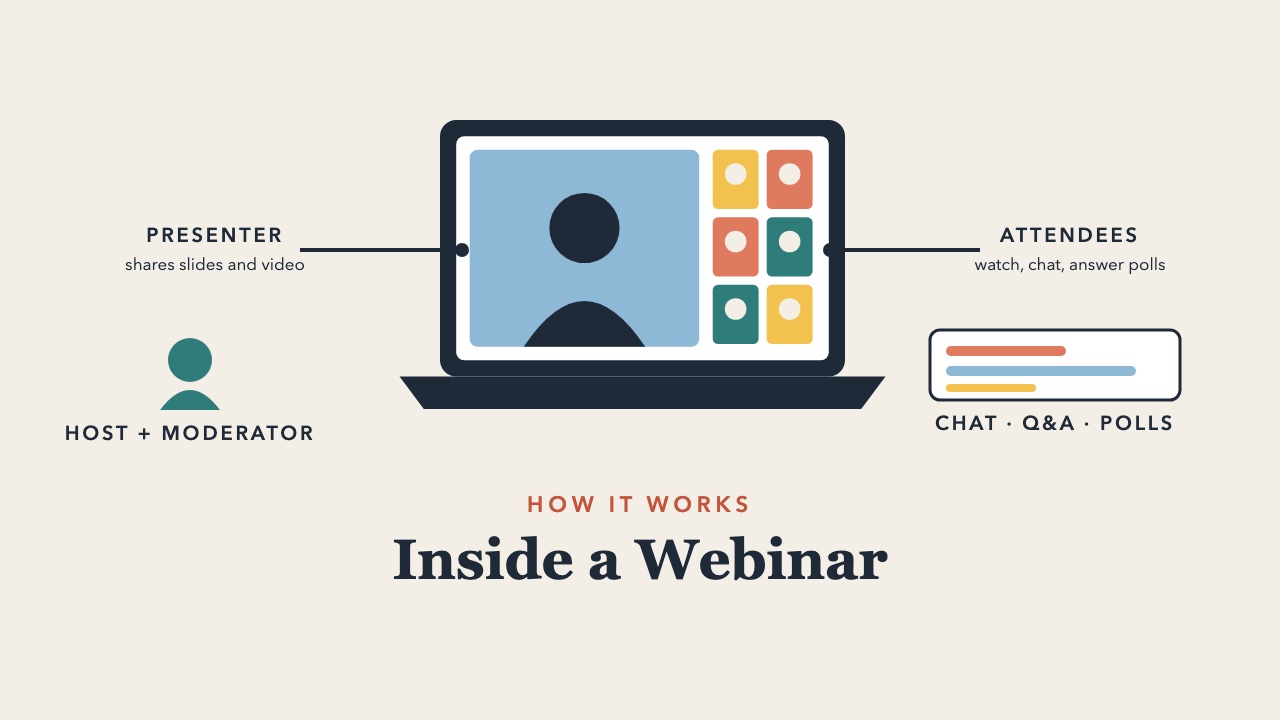
A webinar runs on a platform built for one-to-many sessions, such as Zoom Webinars, Microsoft Teams webinars, Webex, or GoTo Webinar. These tools differ from ordinary video meetings in a few important ways. Attendees typically cannot turn on their camera or unmute unless the host allows it, which keeps large sessions orderly. Registration pages collect attendee details, reminder emails go out automatically, and the session can be recorded and shared afterward.
Most webinars involve a few roles. The host manages the technology, admits attendees, and launches polls. The presenter or panelists deliver the content. A moderator often watches the chat and Q&A, groups questions by theme, and brings them to the presenter. Attendees watch and take part through chat, polls, reactions, and questions. In smaller webinars, one person may play several of these roles.
Common Types of Webinars
- Educational or lecture webinars. An expert presents on a topic, followed by questions. This is the most common format for professional learning and continuing education.
- Panel webinars. Several speakers discuss a topic, guided by a moderator, often with audience questions.
- Training webinars. Step-by-step instruction on a skill, tool, or process, often with demonstrations and practice activities.
- Information sessions. Universities use these for prospective students, new programs, and admissions. Organizations use them to explain new policies or benefits.
- Interview or fireside chat webinars. A host interviews a guest in a conversational format.
- On-demand or recorded webinars. A recording of a live webinar made available to watch anytime, often behind a registration form.
Webinar vs. Seminar vs. Workshop vs. Online Meeting
| Webinar | Seminar | Workshop | Online meeting | |
|---|---|---|---|---|
| Setting | Online | Usually in person | In person or online | Online |
| Typical size | 20 to thousands | 10 to 100 | 8 to 40 | 2 to 20 |
| Main goal | Share information and expertise | Share expertise and discuss ideas | Practice, create, or solve a problem | Coordinate and decide |
| Participant role | Mostly listening, with chat and polls | Listening and discussing | Actively doing | Everyone talks |
| Interaction | Chat, Q&A, polls | Open discussion | Hands-on activities | Open conversation |
For a closer look at how these formats differ and when to use each, see Workshop vs. Seminar vs. Webinar, along with our guides to what a seminar is and what a workshop is.
Examples of Webinars
A graduate admissions office hosts a 45-minute webinar for prospective students, with a program director presenting and current students answering questions in the chat. A center for teaching and learning runs a monthly webinar series for faculty on topics like active learning and course design. A professional association offers continuing education webinars that members attend live or watch as recordings to earn credits. An alumni office invites a faculty member to give a lecture webinar to graduates around the world. And many organizations use webinars to launch new programs, explain benefits during open enrollment, or train staff on a new system.
What Makes a Good Webinar
The best webinars have a clear purpose, a focused topic, and a presenter who talks with the audience rather than at them. Keep the session to 45 to 60 minutes, and break content into short segments with a poll, a chat prompt, or a question between them. Assign someone to watch the chat so good questions do not get lost. Start and end on time, and send the recording and any resources afterward.
Interaction is what separates a memorable webinar from one people leave running in a background tab. Our guide on how to turn a lecture or webinar into an interactive session covers quick activities that work even with large audiences, and webinar tips and best practices for presenters covers delivery. For hosting questions, see top questions about hosting webinars.
Related Guides
- Webinar vs. Webcast vs. Virtual Event
- 25 Webinar Engagement Ideas
- How Long Should a Webinar Be?
- How to Repurpose a Webinar Recording
- What Is a Fireside Chat?
Ready to run one? This step-by-step guide on how to host a webinar covers platforms, agendas, promotion, and follow-up.
Related guides: webinar vs. seminar and how to promote a webinar, workshop vs. webinar, webinar checklist.
Frequently Asked Questions
How long is a webinar?
Most webinars run 30 to 60 minutes, including time for questions. Training webinars sometimes run 90 minutes or longer, usually with a break.
Is a webinar live or recorded?
A webinar is traditionally live, but most are recorded. The recording is often shared with registrants afterward or offered on demand.
What is the difference between a webinar and a Zoom meeting?
A Zoom meeting is designed for everyone to see and talk to each other. A webinar is designed for presenters to speak to an audience, with attendees joining view-only and interacting mainly through chat, Q&A, and polls. Many platforms offer both formats.
Is a webinar the same as a seminar?
A webinar is a seminar delivered online. It usually reaches more people and includes less open discussion than an in-person seminar.
Can a webinar be interactive?
Yes. Polls, chat questions, breakout rooms, and shared whiteboards can make even a large webinar interactive. When the goal is hands-on practice rather than information, consider running an online workshop instead.
If you lead webinars or online sessions and want them to feel more like a conversation than a broadcast, Innovative Workshop Design and Facilitation Coaching offers personal support as you design your next one, and the facilitation workshop at InnovationTraining.org helps teams build these skills together.
